macOS Window Manager
Chain Your
Windows.
A completely new kind of window manager for macOS. Your windows live on an infinite horizontal strip that you scroll through naturally. No rigid grids. No cramped tiles. Just flow.
A completely new kind of window manager for macOS. Your windows live on an infinite horizontal strip that you scroll through naturally. No rigid grids. No cramped tiles. Just flow.
Traditional window managers force your windows into rigid grid layouts. When you open a new app, everything resizes to make room. Your code editor shrinks, your browser gets cramped, and your carefully arranged workspace falls apart.
ChainYourMac takes a fundamentally different approach. Every window sits side by side on an infinite horizontal strip. When you open a new window, it slots in at the edge. Nothing else moves. Nothing else resizes. Your layout stays exactly as you set it.
To navigate between windows, you simply scroll. Use your trackpad to swipe between them, or press a keyboard shortcut to jump instantly. The strip moves. Your windows don't.
Windows flow endlessly to the right on a scrollable canvas. New windows never resize existing ones — your code editor stays at 60% width, your browser at 40%, no matter how many apps you open. Each window gets the exact space it needs, and the strip simply extends to accommodate more.
Move your cursor into a window and it becomes active immediately. No clicking required. The strip smoothly scrolls to keep the focused window centered. When you're deep in a workflow — moving between terminal, editor, and browser — this eliminates dozens of unnecessary clicks per hour.
Swipe left or right on your trackpad to slide through windows with native macOS momentum. Windows snap into place with a satisfying feel — no janky animations, no lag. You can configure the number of fingers and enable continuous swipe for fluid scrolling that feels like it was built into macOS itself.
Each display gets its own independent strip. Your external monitor runs a separate layout from your laptop screen. Move windows between monitors with a keystroke. Each display tracks its own focus, its own scroll position, and its own window arrangement — completely independently.
Group related windows vertically within a single column on the strip. Stack your terminal beneath your code editor so they share one slot and scroll together. Unstack them at any time to return to the flat strip layout. Stacking lets you build focused workspaces without consuming extra horizontal space.
ChainYourMac works seamlessly with macOS Spaces. Each workspace operates independently with its own strip layout. Switch between Spaces as usual and ChainYourMac keeps each one organized separately. Your coding workspace and your communication workspace never interfere with each other.
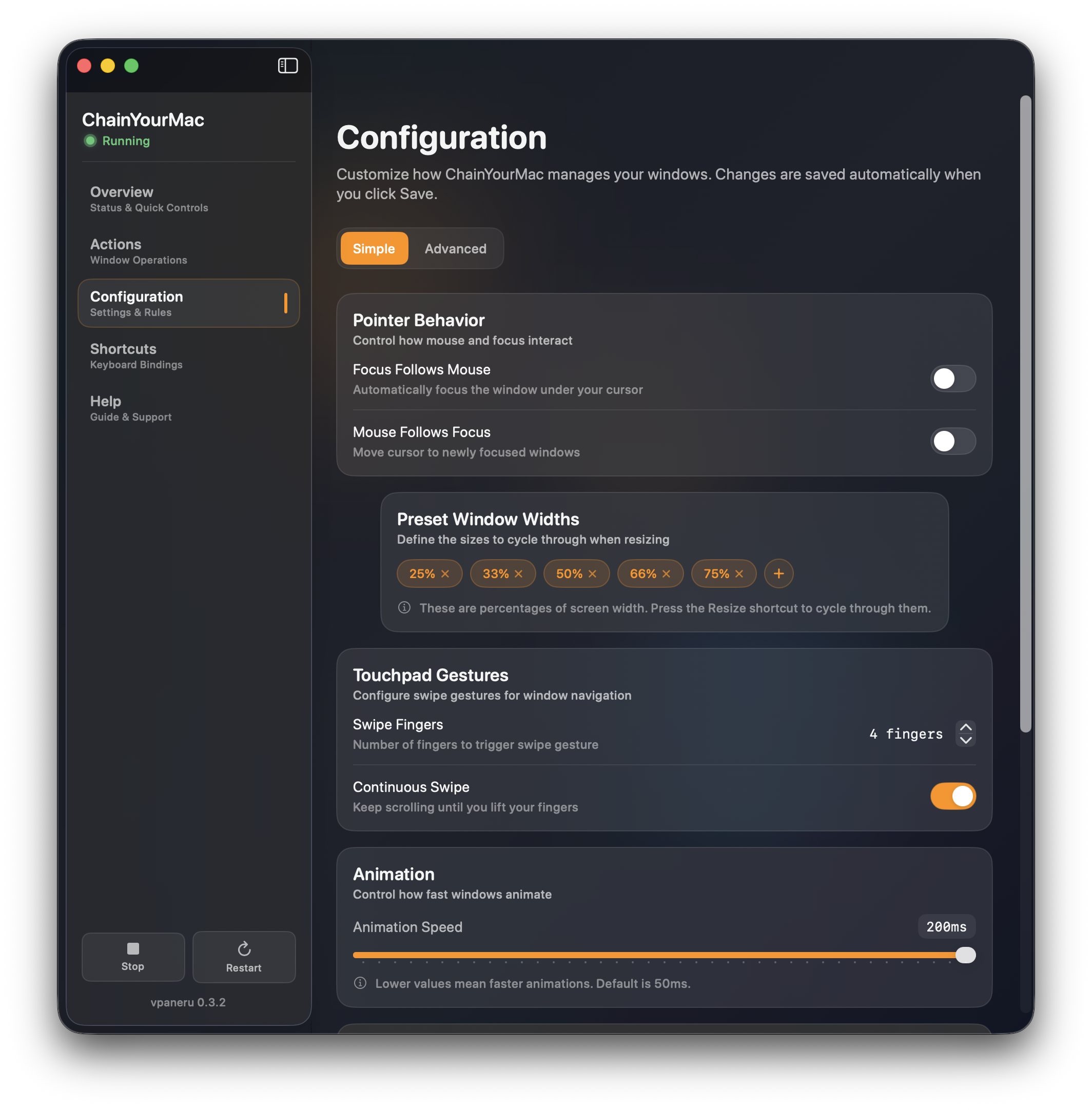
The configuration panel gives you full control over how ChainYourMac manages your windows. Set pointer behavior, preset window widths, trackpad gesture sensitivity, and animation speed — all from a clean, native macOS interface.
Define custom width presets like 25%, 33%, 50%, 66%, and 75%. Press a shortcut to cycle through them instantly. Every change you make is saved automatically and applied in real-time — no restart needed.
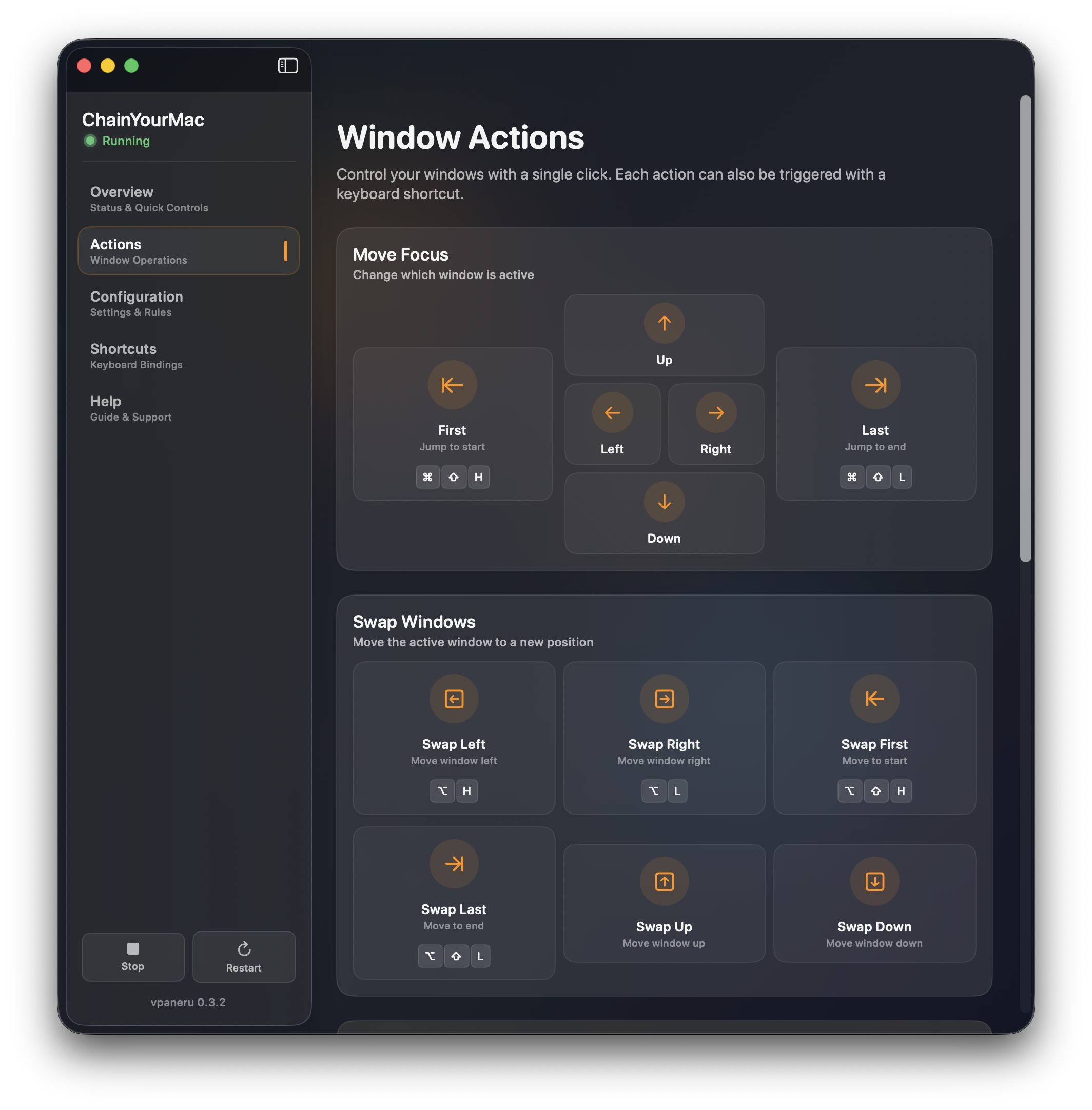
Every window action in ChainYourMac can be triggered two ways: click the visual controls in the Actions panel, or use the keyboard shortcut. Move focus in any direction — left, right, up, down, or jump to the first and last window on the strip.
Swap windows to rearrange your layout without dragging. Move any window to the start, end, or any other position in your strip. The visual layout of the Actions panel makes it easy to discover what's possible, while the keyboard shortcuts make it fast to execute.
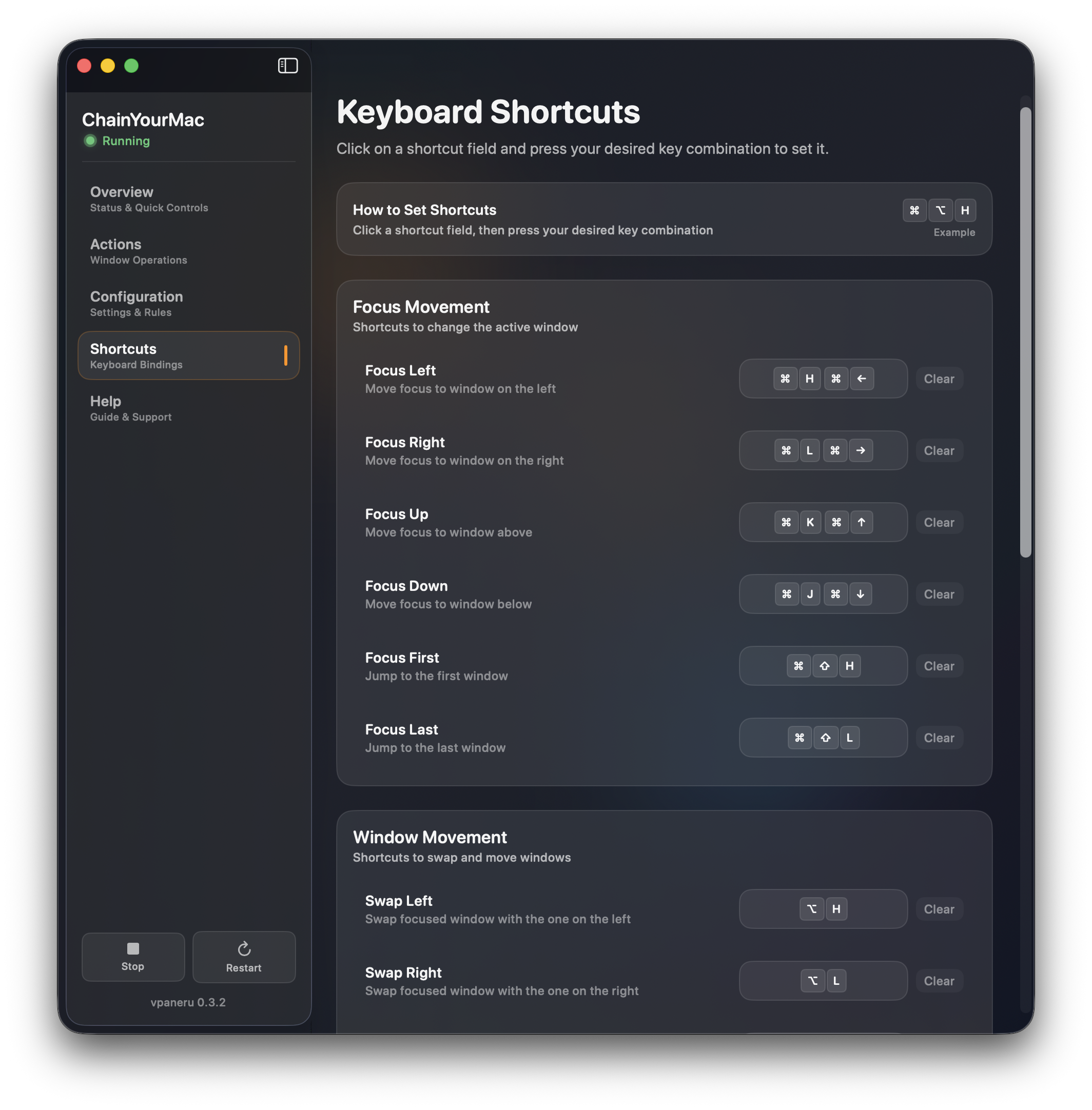
Every action in ChainYourMac has a keyboard shortcut. Click any shortcut field, press your desired key combination, and it's set. No config files to edit, no syntax to remember. Just press and go.
Focus movement, window swapping, resizing, centering, stacking, floating — it's all one shortcut away. The defaults follow Vim-style navigation (H/J/K/L) but you can change everything to match the way you already work.
All bindings are fully customizable with live reload.
The ChainYourMac engine is written entirely in Rust. It runs as a lightweight background process that consumes near-zero CPU and minimal memory. Window operations complete in under a millisecond. Scroll animations run at a smooth 120fps.
There's no Electron, no JavaScript runtime, no web view. It's a native macOS application with a SwiftUI interface and a Rust engine that communicates through a local IPC socket. The result is a window manager that feels like it was built into macOS — because it was built with the same technologies Apple uses.
ChainYourMac is designed to stay out of your way. It runs silently in your menu bar, manages your windows in the background, and only becomes visible when you want it to. Your Mac stays fast because your window manager was built to be fast.
No subscriptions. No recurring charges. Pay once and get every future update for free. Start with a 7-day trial to make sure ChainYourMac is right for you.